Render
Workshop
A distributed rendering system meticulously designed specifically for Blender
A versatile rendering system designed for Blender, offering both distributed, remote, and local rendering capabilities. Powerful yet user-friendly, ensuring high rendering stability and employing various measures to safeguard your render files, providing reliable protection for your rendering tasks.
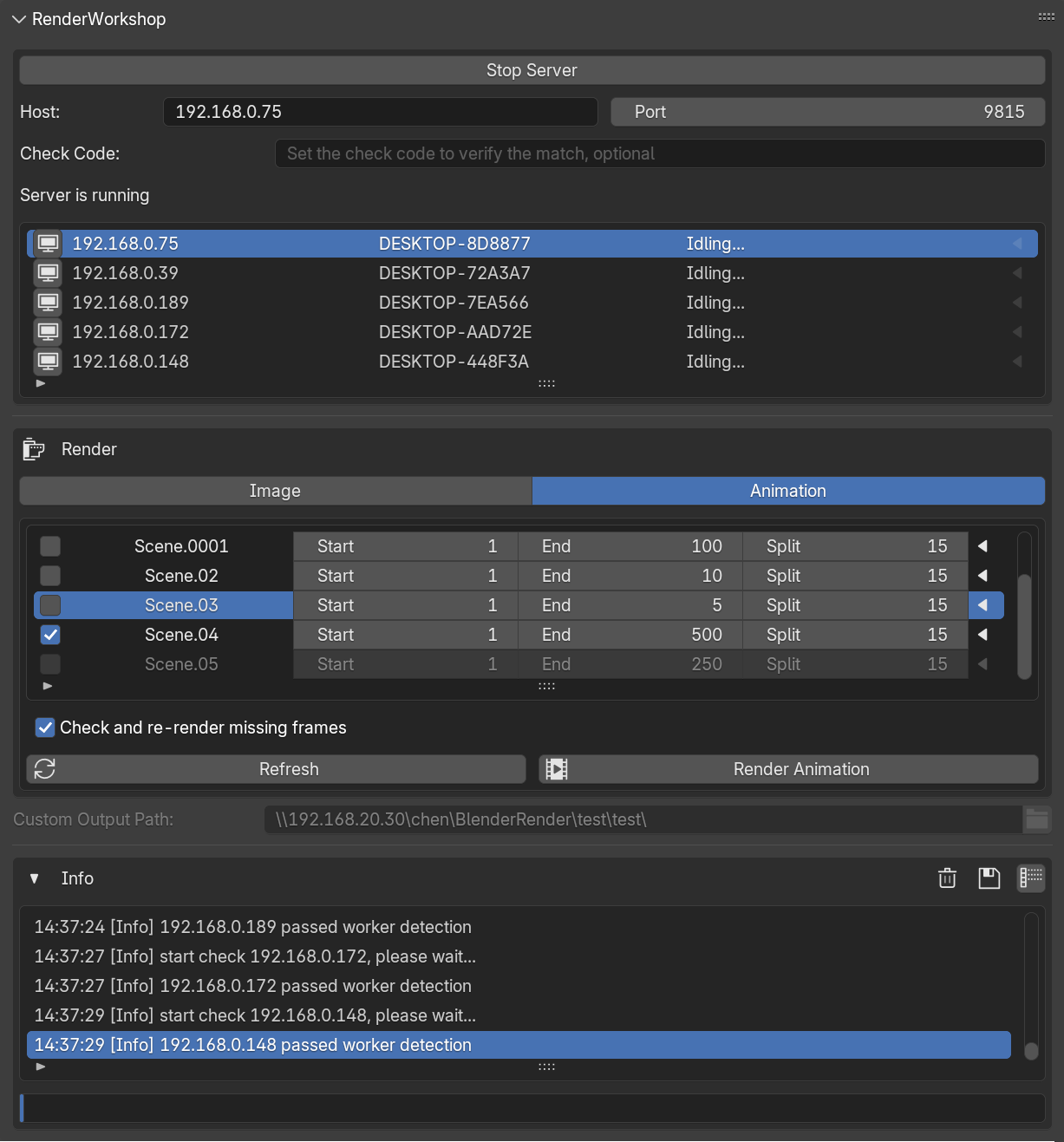
manager animation idling
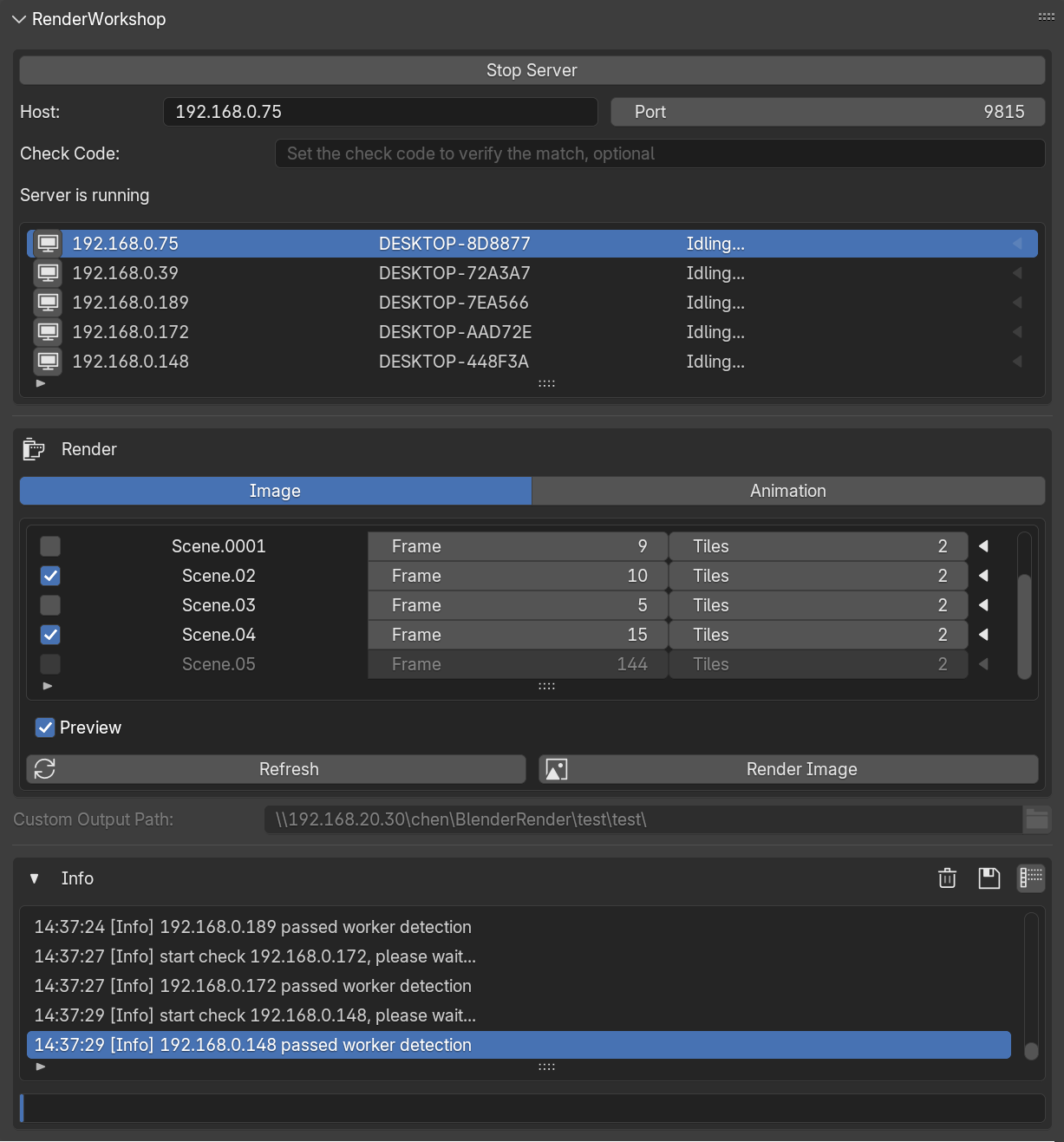
manager image idling
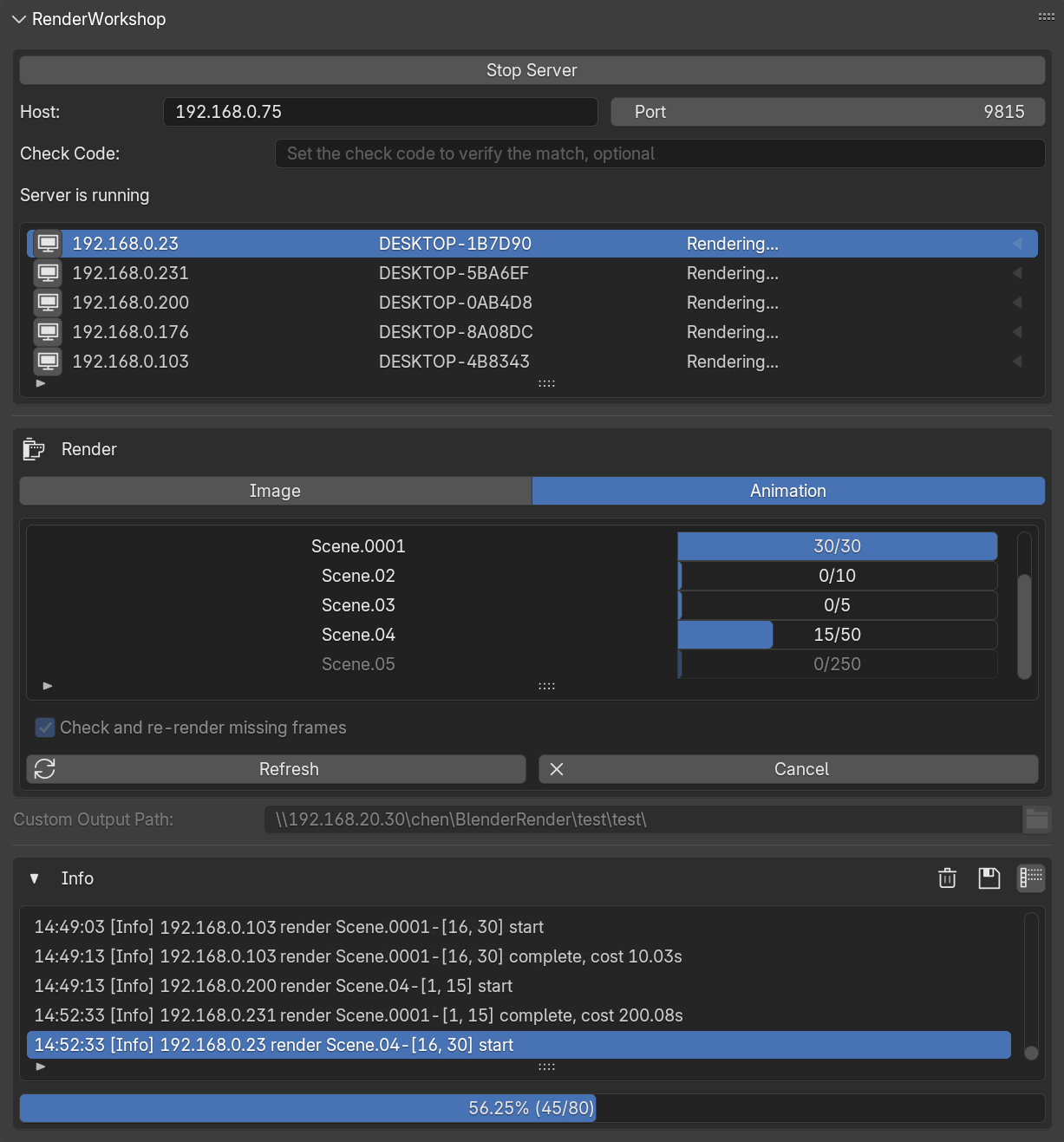
manager animation rendering

manager image rendering

manager extra settings
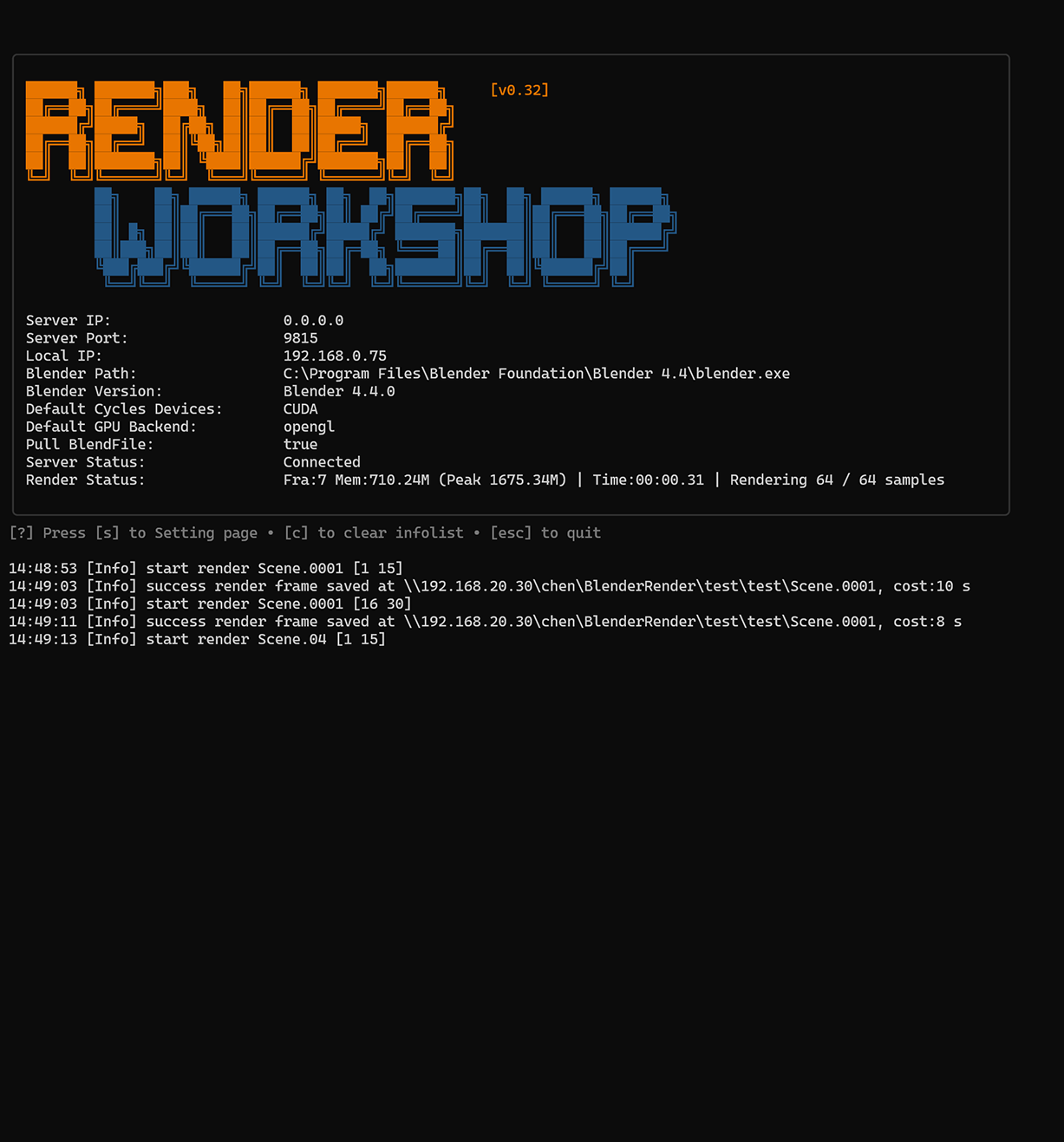
worker home page
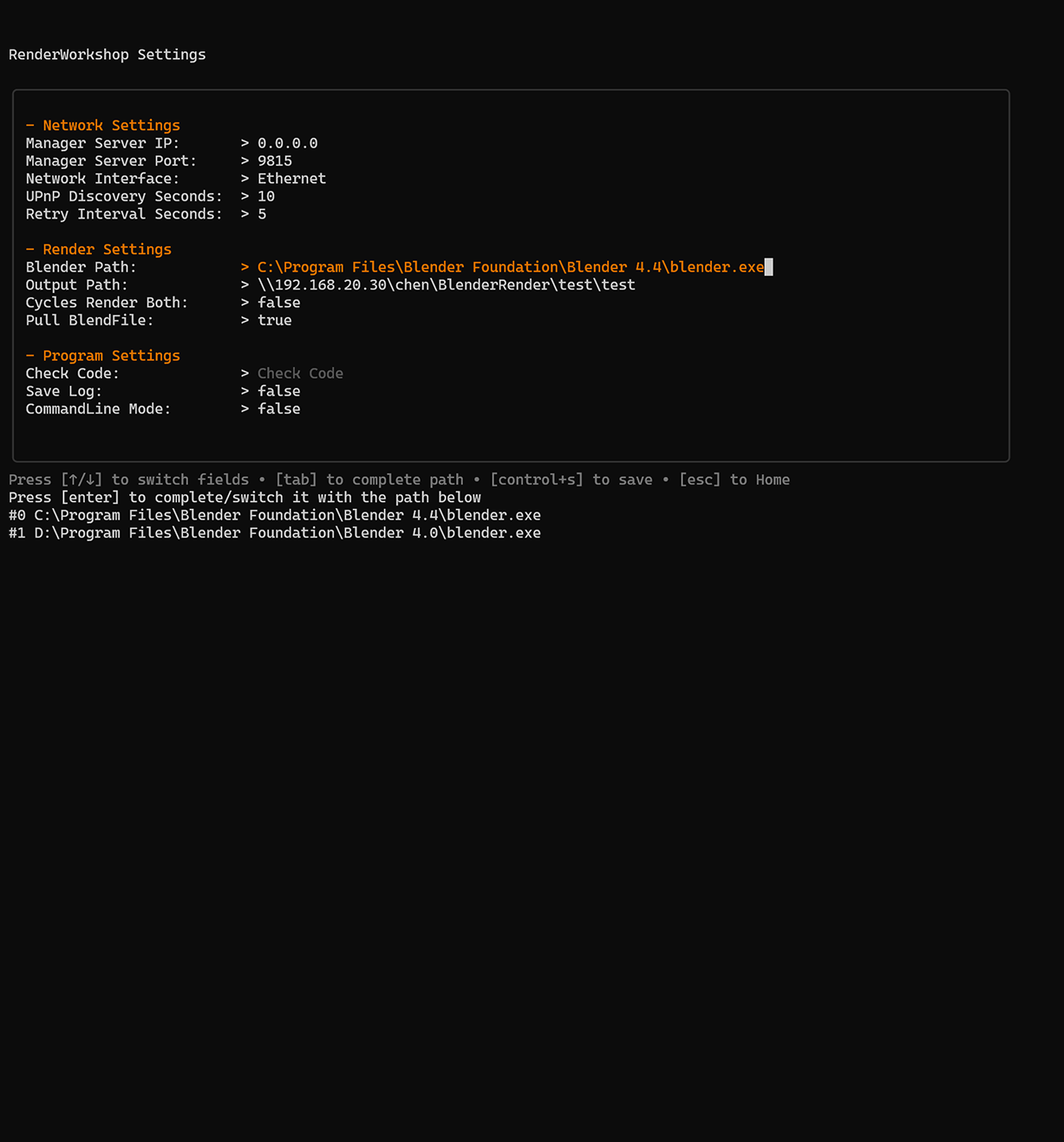
worker setting page
RenderWorkshop Features
Blender Deep Integration
UI integration. Automatically read Blender rendering parameters without manual repeated settings.
Local Render Farm
Queue scenes for rendering without internet, enabling private render farms. Deploy for yourself.
Render Queue
Add multiple scenes to the render queue and efficiently batch render all your content at once.
Multi-Method Rendering
Supports local, remote and distributed cluster rendering, which is flexible and efficient.
Image & Anim Support
Supports still image (tiles & samples) and animation sequence rendering.
AOV Support
Supports batch rendering of multi-channel images and multi-layer images at one time.
Heartbeat Detection
Tasks can still be assigned to other online workers even after the worker goes offline or broken.
File Security
Before rendering the MD5 file comparison. Check and re-render the miss after rendering.
Easy Deployment
Deployment can be completed with one configuration, simple, convenient and powerful.
Low Resources Usage
Minimal resources consumption during standby, allowing workers to wake on demand.
Introducing RenderWorkshop
Architecture Overview
A single lightweight Manager distributes tasks to multiple Worker nodes across your network, resulting in near-linear render time reduction.
Time to Render (100 Frames)
* This is for illustrative purposes only; the actual rendering time depends on factors such as computer performance and network conditions.
Workflow in Action
See how RenderWorkshop intelligently divides and conquers different types of rendering tasks.

Image Render Process
RenderWorkshop splits images into several tiles, with each tile acting as a task. These tasks are sent to various worker computers for rendering. Once a worker finishes rendering a tile, it saves the result to a temporary folder in shared storage. Workers that complete their tasks early are automatically assigned new ones. After all tiles are rendered, the manager combines them into a single, complete image.
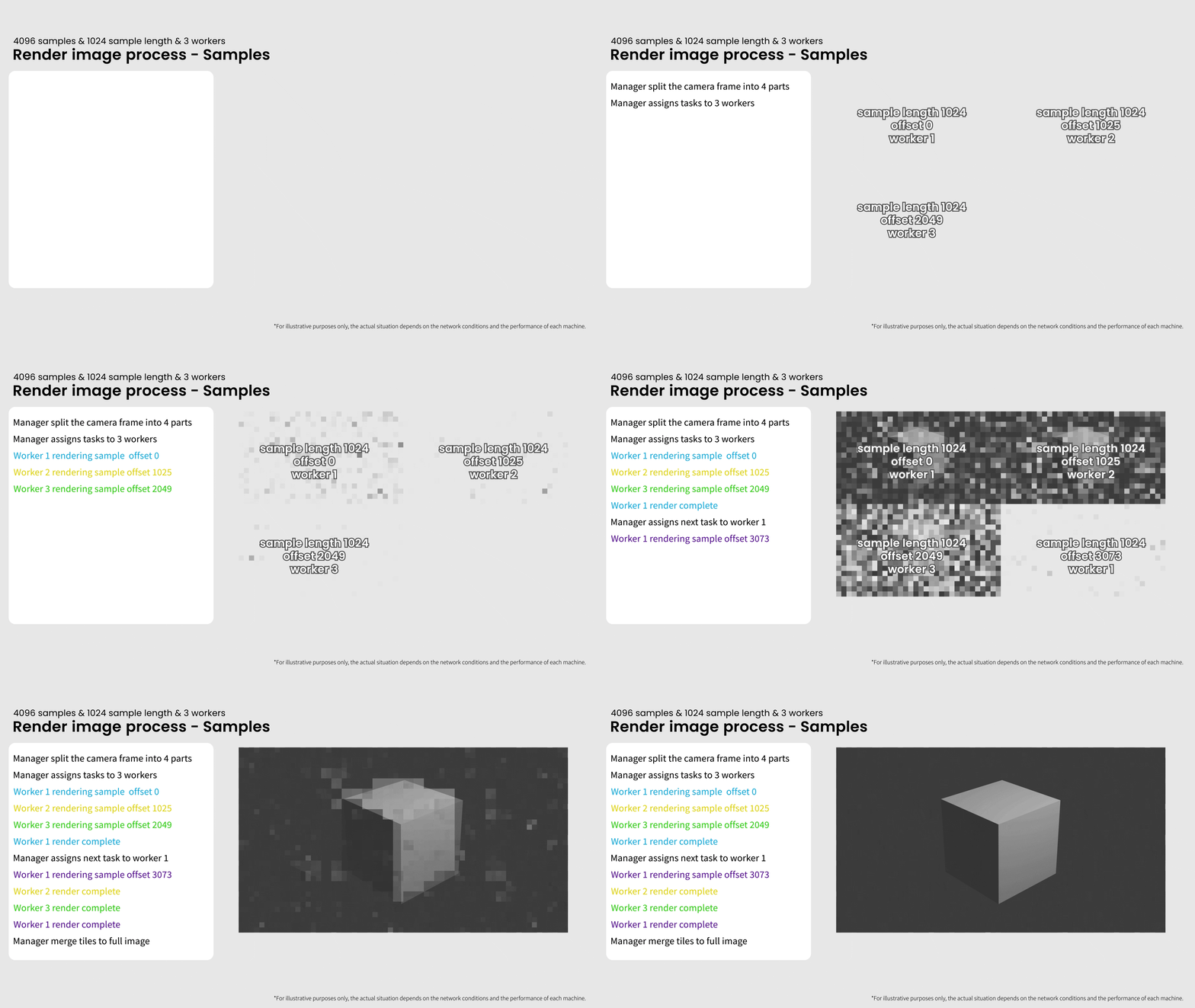
Sample Subset Rendering
Divide the image into several blocks for rendering (e.g., 4 means dividing into 4x4=16 blocks). It is recommended to set a larger value for high resolutions. Only available in Blender version 4.4 or higher and the rendering engine is Cycles.

Animation Render Process
RenderWorkshop divides animation sequences into segments, assigning each as a task to different worker computers for rendering. Once a worker completes a segment, it's saved to shared storage. Workers that finish first are automatically assigned the next task.
Ready to Supercharge Your Rendering?
Choose your preferred platform to get RenderWorkshop. One-time purchase, lifetime updates, zero hidden fees.



Service Statement
Your privacy is our priority. When using RenderWorkshop, please be assured that we do not collect any personal information. The software operates entirely offline and does not engage in any data uploading or network connections. All activities are conducted in compliance with regulations. RenderWorkshop is a one-time purchase with a perpetual license, and there are no additional services or fees. Updates are provided free of charge. Should you encounter any issues while using RenderWorkshop, please feel free to contact us at magician33333@gmail.com. We are committed to assisting you with any problems that may arise during your use of RenderWorkshop.
RenderWorkshop FAQ

A distributed rendering system meticulously designed specifically for Blender
Other Opus